(323) 435-0418

2010 ADA Standards for Accessible Design

ADA Hand Dryer Height, Sensor Reach, and Projection

Short answer

Hand dryers have no named ADA height, so the start control follows the operable part rules: 15 to 48 in. above the floor (309.3, 308.2.1). A dryer body whose lower edge sits above 27 in. may stick out 4 in. at most into a circulation path (307.2).

Requirements at a glance

RuleRequirementSection
Scoping for operable partsDryer controls in an accessible toilet room fall under Section 309
Standards text
Operable parts on accessible elements, accessible routes, and in accessible rooms and spaces shall comply with 309 .
205.1
Operable part definedA component that activates, deactivates, or adjusts the element; a start button is one, and a sensor does the same job
Standards text
A component of an element used to insert or withdraw objects, or to activate, deactivate, or adjust the element.
106.5
Clear floor spaceA clear floor or ground space meeting 305 at the dryer's controls
Standards text
A clear floor or ground space complying with 305 shall be provided.
309.2
Control heightStart button or sensor window located in a 308 reach range
Standards text
Operable parts shall be placed within one or more of the reach ranges specified in 308 .
309.3
Unobstructed forward reachButton or sensor no lower than 15 in. and no higher than 48 in. above the finish floor
Standards text
Where a forward reach is unobstructed, the high forward reach shall be 48 inches (1220 mm) maximum and the low forward reach shall be 15 inches (380 mm) minimum above the finish floor or ground.
308.2.1
Push button operationA push button works with one hand at 5 pounds of force maximum, with no tight grasping, pinching, or twisting of the wrist
Standards text
Operable parts shall be operable with one hand and shall not require tight grasping, pinching, or twisting of the wrist. The force required to activate operable parts shall be 5 pounds (22.2 N) maximum.
309.4
Where projection rules applyProtruding objects on circulation paths must meet Section 307
Standards text
Protruding objects on circulation paths shall comply with 307 .
204.1
Projection limitHousing depth up to 4 in. when its lowest edge is above 27 in. and no higher than 80 in.
Standards text
Objects with leading edges more than 27 inches (685 mm) and not more than 80 inches (2030 mm) above the finish floor or ground shall protrude 4 inches (100 mm) maximum horizontally into the circulation path.
307.2
Route widthThe dryer cannot narrow an accessible route below its required clear width
Standards text
Protruding objects shall not reduce the clear width required for accessible routes.
307.5

Source: 2010 ADA Standards for Accessible Design, U.S. Access Board. State and local codes can be stricter, and the authority having jurisdiction has the final word.

Finish floor0"12"24"36"48"60"15 to 48 in.Button or sensorADA 308.2.1
Heights above the finish floor, drawn to scale. Button or sensor: 15 to 48 in. above the finish floor (ADA 308.2.1).

Buttons, sensors, and how to measure

The Standards never mention hand dryers or sensors. They do define an operable part as a component used to activate, deactivate, or adjust an element, and a push button plainly qualifies.

A sensor window starts a touch-free dryer in the same way, so the cautious reading treats it as an operable part. Measure from the finish floor to the button or the sensor window.

Some sensors detect hands below the housing rather than at the window. As a practical step, not a written rule, keep that detection zone between 15 and 48 in. as well.

Projection into the circulation path

Section 204.1 applies the protruding object rules in 307 to objects on circulation paths. A dryer on the wall of a walkway through the restroom is the case to check.

Under 307.2, a dryer may protrude 4 in. maximum if its leading edge sits more than 27 in. but not more than 80 in. up. Take the height at the lowest edge of the housing and the depth at its farthest point from the wall.

Section 307.5 adds a separate test. Even a shallow dryer cannot reduce the clear width required for an accessible route.

Placement and common mistakes

Section 309.2 requires a clear floor or ground space complying with 305 at operable parts. A freestanding waste receptacle parked under the dryer can take that space away.

Review the finished room layout, not just the wall elevation. Bins, carts, and benches placed after the dryer goes up can block the same space.

Two height errors show up on the tape measure. A button above 48 in. misses 309.3. A housing deeper than 4 in. with its bottom edge above 27 in. breaks 307.2 on a circulation path.

What to check when buying a hand dryer

Start with the installed projection on the manufacturer's drawing, including any wall plate or trim. Compare it with the 4 in. limit if the dryer will hang on a circulation path.

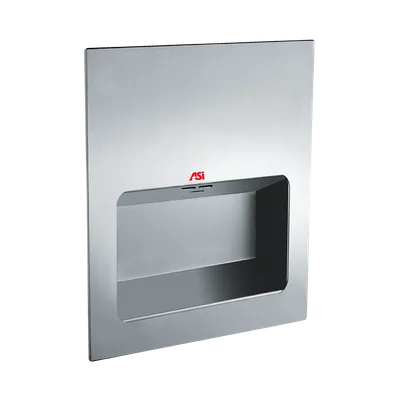
Recess kits and low-profile housings can reduce projection. Confirm the finished depth with the kit installed, not the depth of the dryer alone.

For push-button models, get the rated activation force in writing and check it against 309.4. For sensor models, find where the sensor window sits on the housing so you can set it within reach.
Hand Dryers buying guide and specs

ADA Hand Dryer Height, Sensor Reach, and Projection: common questions

The Standards give no dryer-specific height. A dryer's start button is an operable part, and 309.3 keeps operable parts inside the 308 reach ranges. For an unobstructed forward reach, 308.2.1 sets those at 15 to 48 in. above the finish floor. Mount the dryer so its start button or sensor window lands inside that band.

Read next

Other ADA mounting heights

Full ADA restroom mounting height chart

Need the whole accessory schedule checked?

Send the restroom plans or accessory list and we'll quote products that fit the layout, with cut sheets.